
Electronic Library Assistant

Library Stock Management. Made Simple.
Electronic Library Assistant (ELA) is an application that digitally manages the stock of one or multiple libraries from one central location. ELA has custom-built functionally to create items, which are commonly known as books, can track, store, manage, and loan
items. The software has been written in such a way that librarians can create users and borrowers who can interact with the application.
FAQ
Here are some frequently asked questions about ELA.
ELA was initially developed to simplify the work of a librarian but since we have now launched an update, it can be utilized equally by librarians, students, teachers, and anyone that wants to manage books on a small or large scale with the user-friendly interface that can be accessed on any device or browser.
Yes, this is possible. ELA has been developed to work on all devices and all screen sizes, so the application is completely mobile responsive and will work on multiple devices simultaneously.
Yes, ELA runs on Windows 10/ 11.
Yes, ELA was developed on and for GNU/Linux distributions such as Ubuntu, AlmaLinux etc.
No. ELA provides regular updates to the software which includes bug fixes, new features and enhancements to existing features. If you do not opt-in for the annual license renewal, the last version of ELA we installed for you will still run and work fine. However, you will miss out on any new features and enhancements that were implemented when newer versions become available.
ELA will be upgraded for free during the first year of your purchase. After that, the Annual Enhancement Fee will provide you with regular updates to ELA.
No. The price is fixed irrespective of the number items or borrowers you have in older versions of ELA.
It depends. ELA 3 was redeveloped to provide this functionality out the box compared to ELA 2. With this in mind, you can install ELA to single computer, which we call a server, while other computers, which we will call a client, on the network can interact and work off this server using a simple web browser.
Since ELA 3 currently lacks support for partitioning off multiple institution data at this time, the pricing will be affected if you want to separate your data into two institutions such as Junior or Senior library. In this case two servers can be deployed, or the same ELA server can run multiple institutions without the current partitioning.
If you unsure which route to go, please contact us to assist you further.
No. At this time, we will assist with any support issues or questions you might have with ELA.
If you have taken out the Annual Enhancement Fee with us or have recently purchased ELA 3 and your free upgrade period has not expired, re-installation of ELA 3 is free. If you do not have an Annual Enhancement Fee with us, the cost to re-install ELA 3 is R 995.00 excl. VAT per hour.
Yes, ELA 3 has the ability to import data from ELA 2. Due to the way ELA 2 was built, this is a manual process which requires us to export the database tables from ELA 2 for ELA 3. Once the data has been exported, we will import the data for you when doing the installation of ELA 3.
It depends. Exporting of ELA data can take between 5-10 minutes and importing into ELA 3, depending on the size of the ELA 2 database, can take between 2-15 minutes. If there any issues with the exporting or importing of the data we will let you know with a way forward.
Screenshots
Here are a few screenshots that provide an overview of the Electronic Library Assistant (ELA) application.

Login Screen
The ELA login screen allows you to login to the application with your username and password.
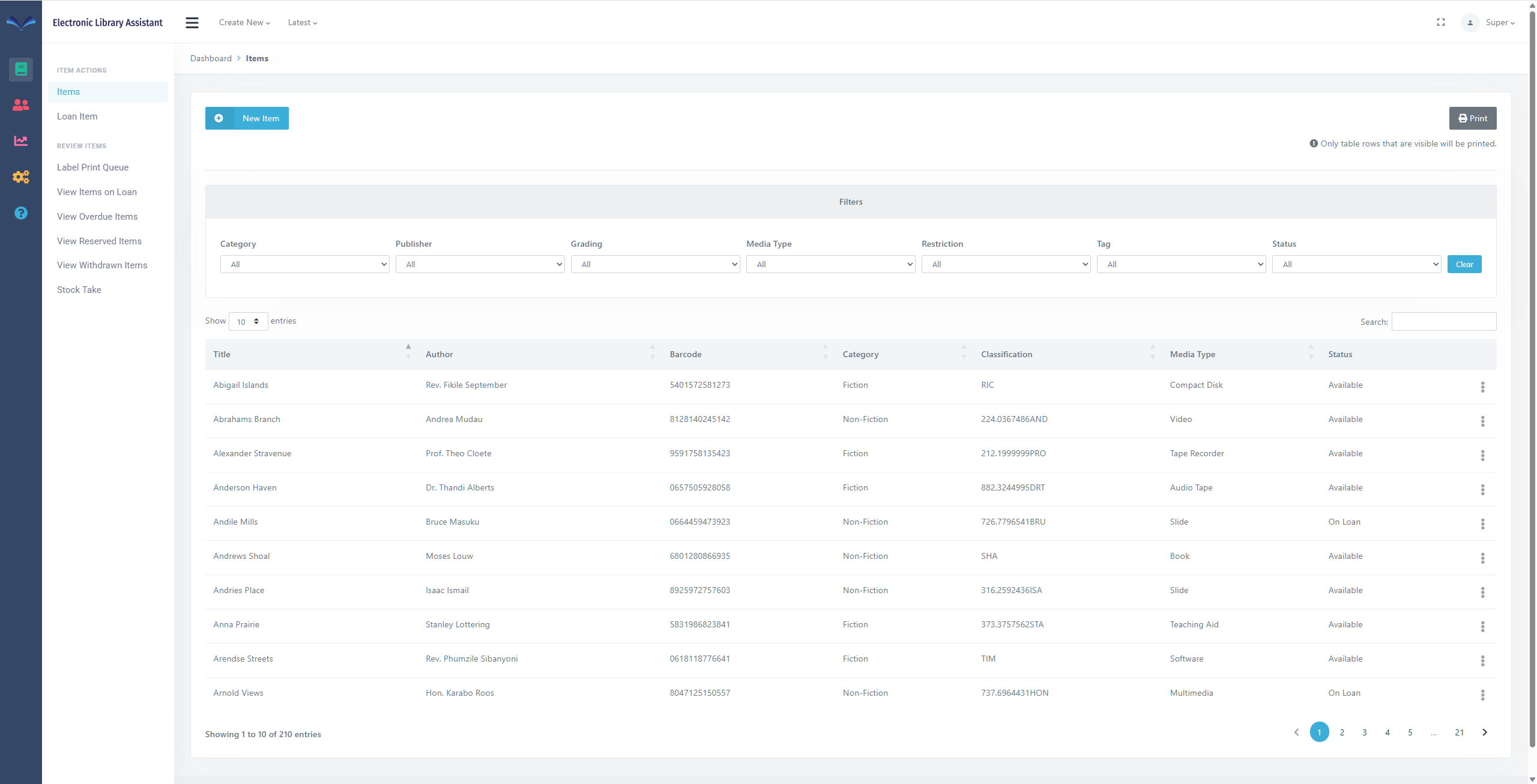
Items Page
The items page allows you to manage items.
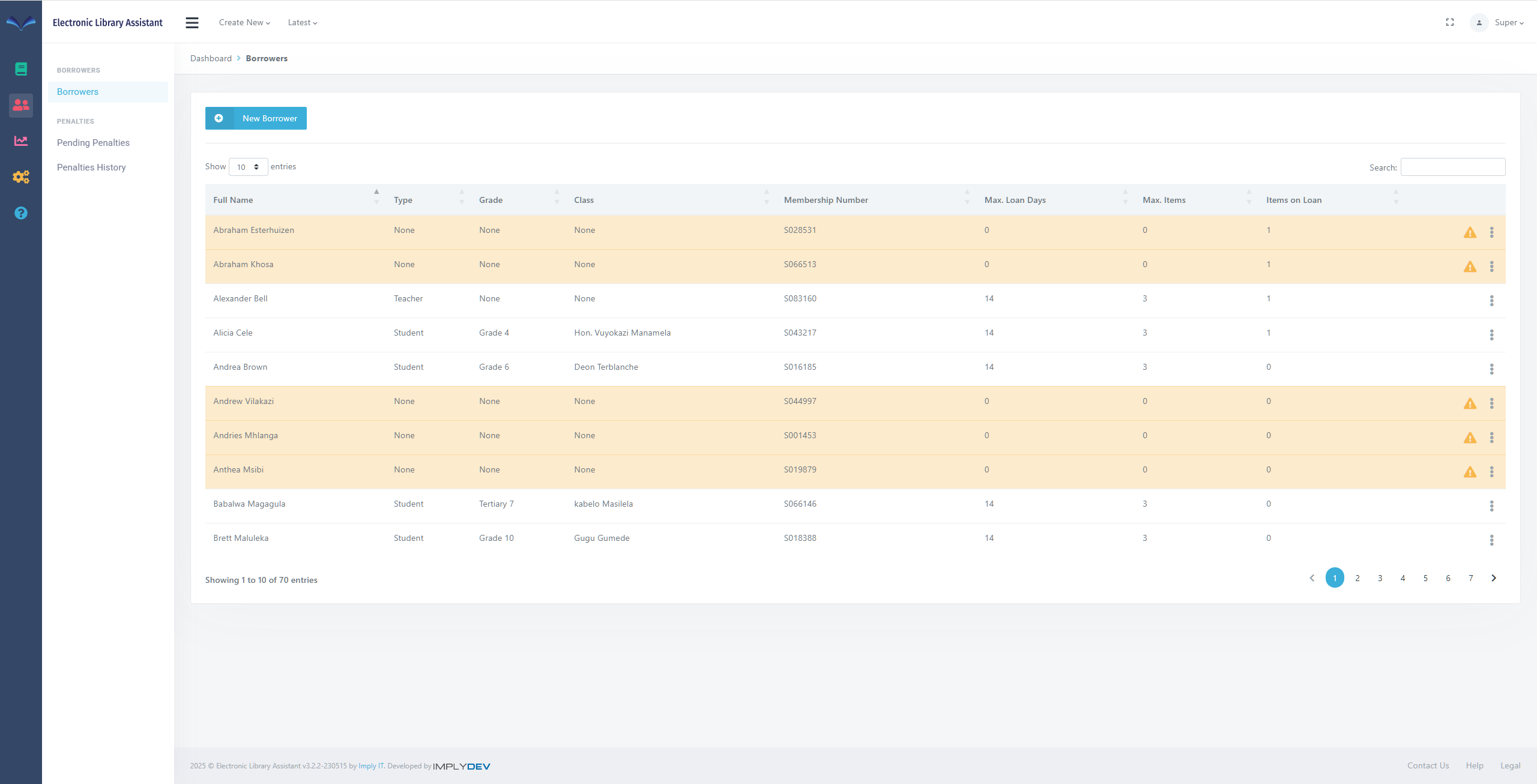
Borrowers Page
The Borrowers page allows you manage the borrowers.
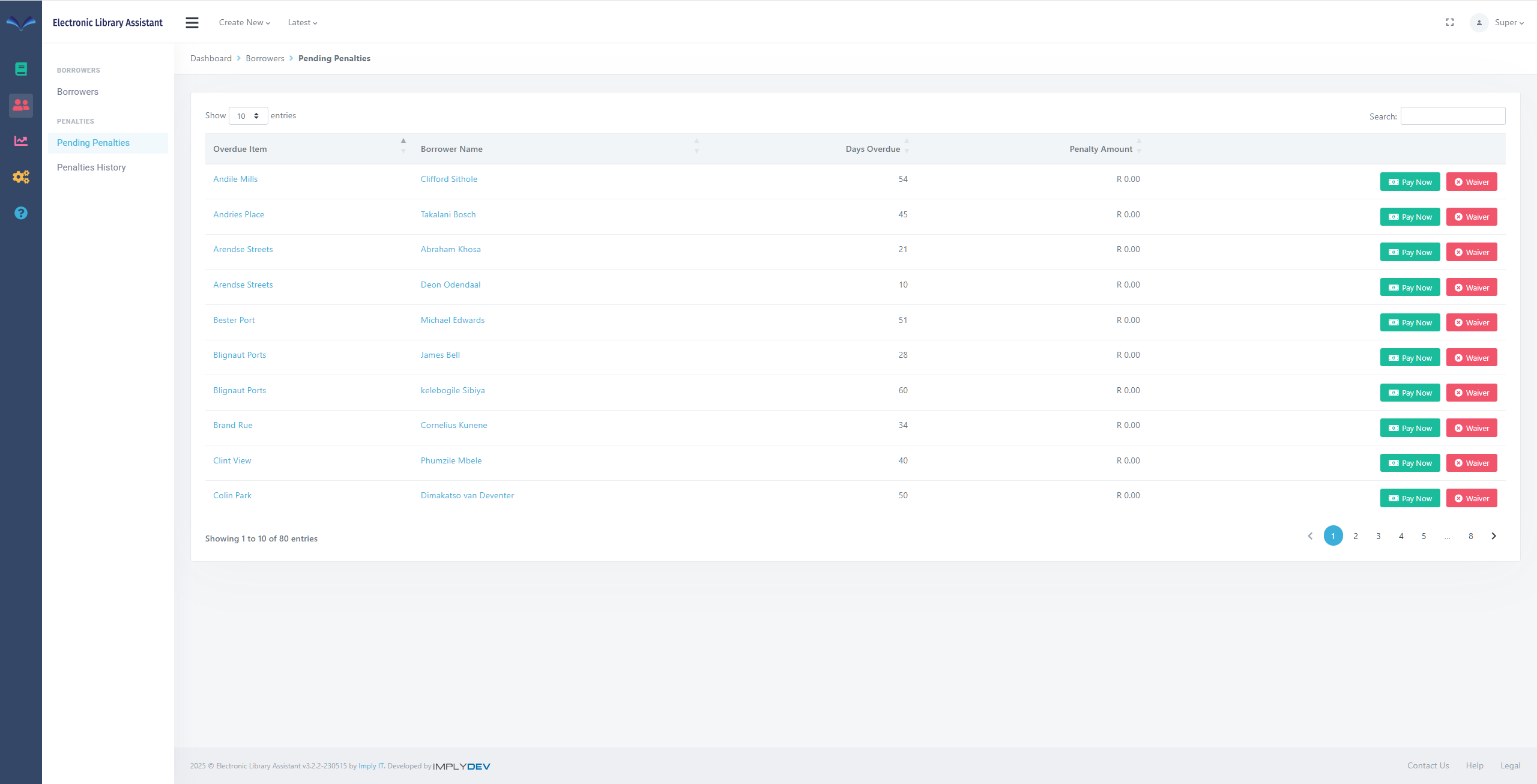
Pending Penalties Page
The Pending Penalties page shows borrowers that have any pending penalties against them.
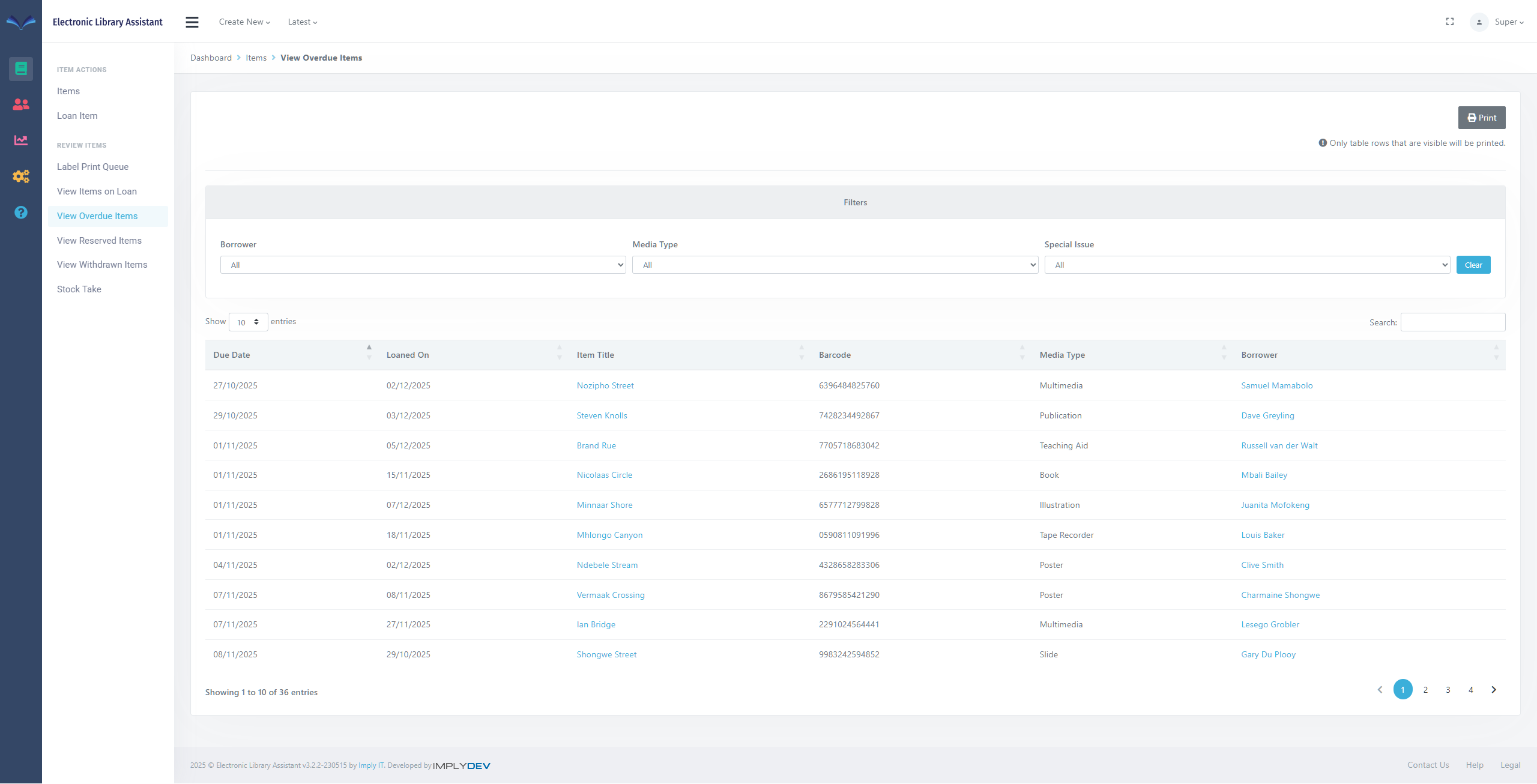
Overdue Items Page
The Overdue Items page lists any overdue items.
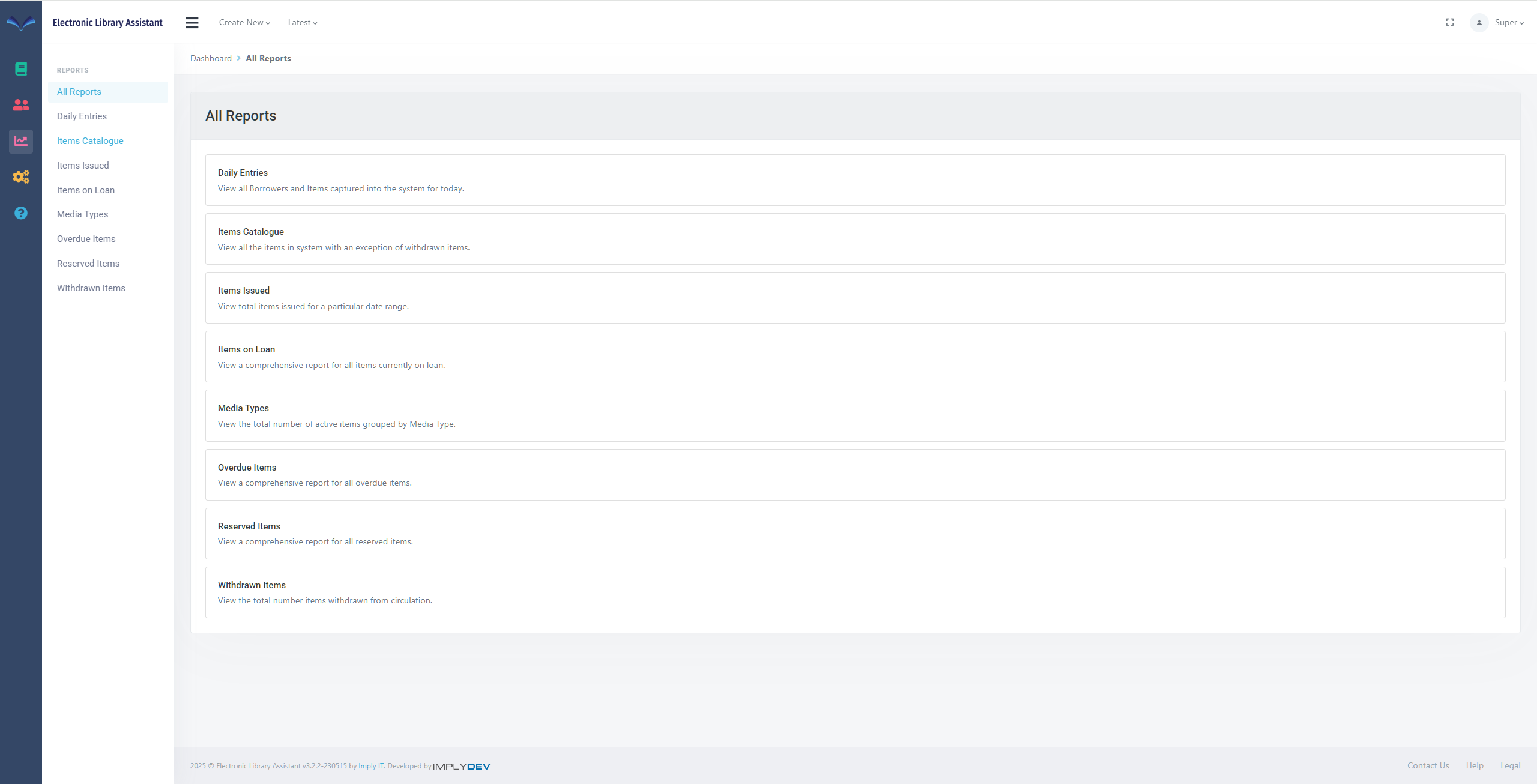
Reports Page
The Reports page provides access to several reports.
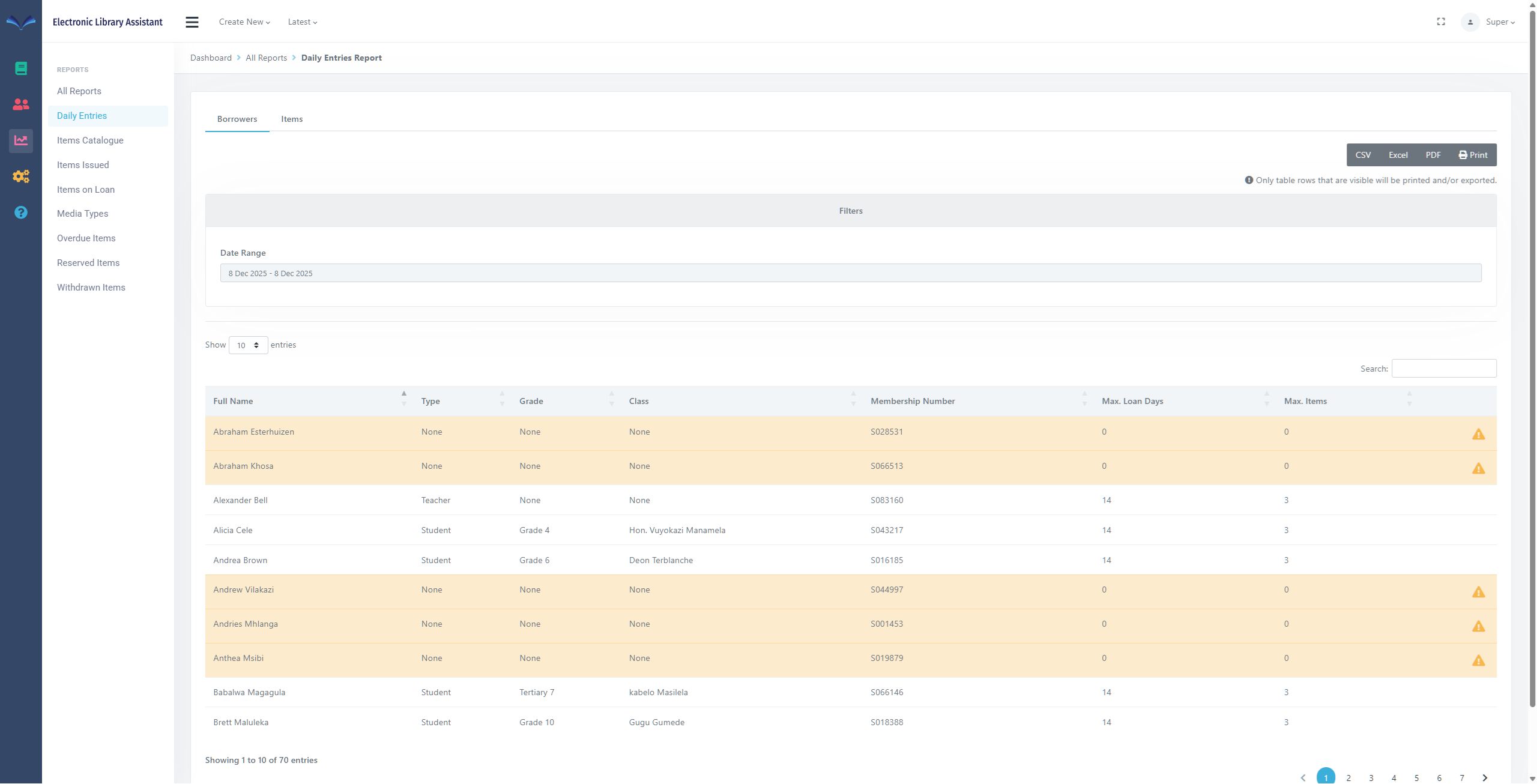
Daily Entries Report
The Daily Entries Report allows you to view all Borrowers and Items captured into the system for the day.
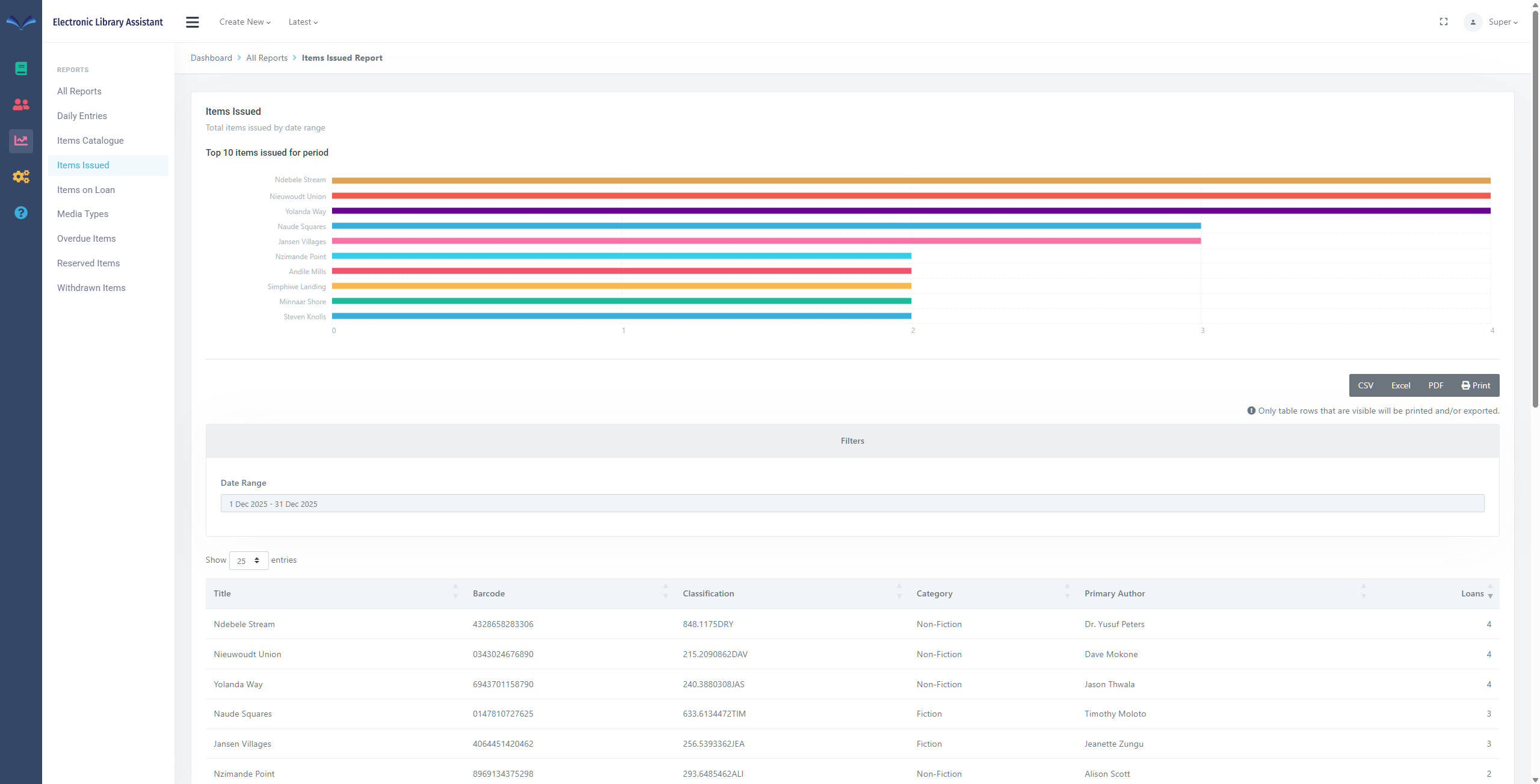
Items Issued Report
The Items Issued Report allows you to view total items issued for a particular date range.
Let’s talk today
If you want to start a new project, we invite you to get in touch with us.